
PounceApps mascot

Small, fast, AI-native apps for macOS.

A tiny studio making native Mac tools with a retro heart and AI built right in — not bolted on. Three flagship apps — a SQL client, a text editor, a terminal manager — plus more from the same shop. All notarized and one brew install away.

brew tap pounceapps/tap && brew trust pounceapps/tap && brew install --cask pouncesql pouncepad pounceterm

The flagship apps

Three apps, one idea: AI that lives inside the tool.

All built on the same foundation — a native Mac app with a built-in MCP server and Claude driving every feature. Pick the one for your work, or grab all three.

PounceSQL icon

PounceSQL

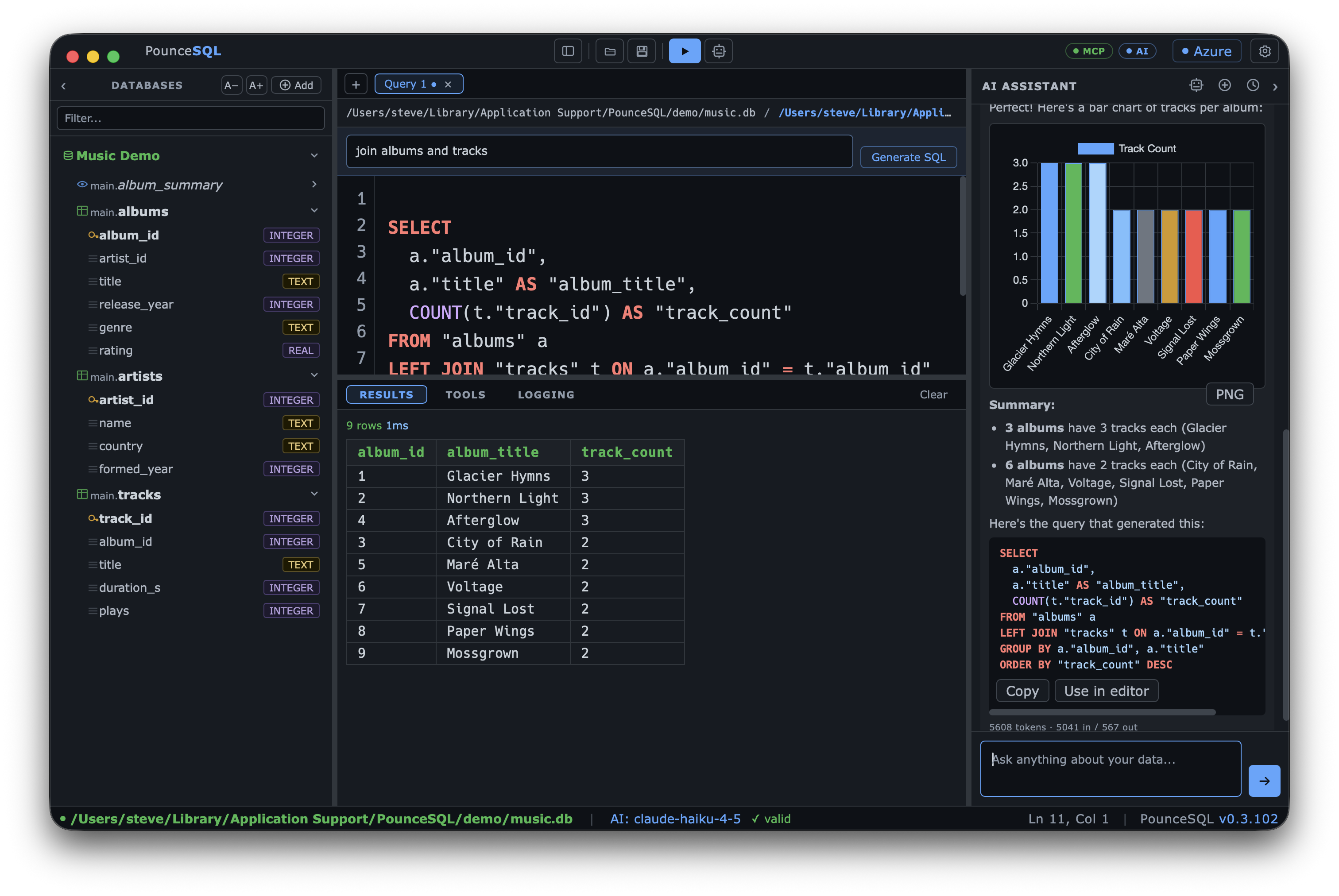
A native SQL client for Azure SQL, SQL Server, PostgreSQL & SQLite — with an AI assistant that doesn't just write queries, it diagrams schemas and charts results.

  • Multi-engine: Azure SQL · SQL Server · Postgres · SQLite
  • AI assistant — OpenAI, Anthropic, Ollama, or your own gateway
  • Charts, Mermaid diagrams & KPIs generated from your results
  • Built-in MCP server so Claude can query, explore & diagram
  • Sync your AI keys, theme & fonts through 1Password — set up once
Learn more about PounceSQL →
PounceSQL query and results
PounceTERM icon

PounceTERM

A native terminal manager — local terminals and SSH in tabs, an encrypted host vault, and deep Claude Code integration: start Claude in any tab, even on a remote box.

  • Local & SSH shells in tabs — tmux, vim, mouse, per-host colors, Tailscale-ready
  • Encrypted vault; reusable identities, import from ~/.ssh
  • 1Password sync — push your keys, theme & fonts to your other Macs
  • Start Claude in any tab — work or personal profile; remote over an SSH tunnel
  • Sidebar chat + per-session AI-control gate — suggest vs. act, your call
Learn more about PounceTERM →
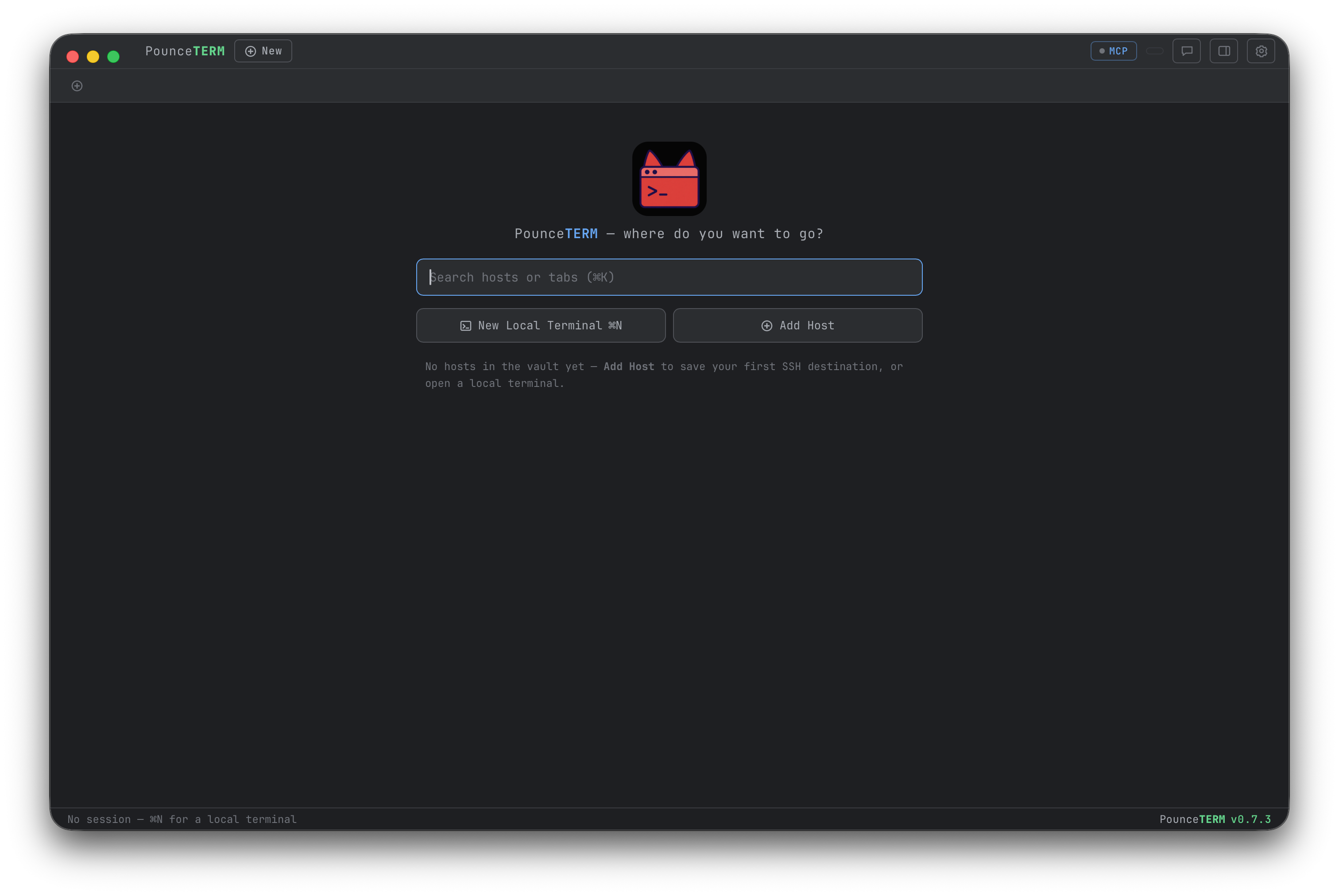
PounceTERM launch screen with host search, new local terminal and add host
PouncePad icon

PouncePad

A simple, AI-drivable text editor & file viewer — with a Claude Code channel built in: type in the app, Claude answers right there.

  • Views PDF, Office, iWork, images, audio, video & HTML — no plugins
  • Keyboard-drivable file browser; ~30 languages, a dozen editor themes
  • Markdown + Mermaid live preview; crash-safe tabs; CLI & Finder
  • Claude channel — Claude reads, edits & previews your files in place
  • 1Password sync carries your theme, fonts & AI keys to another Mac
Learn more about PouncePad →
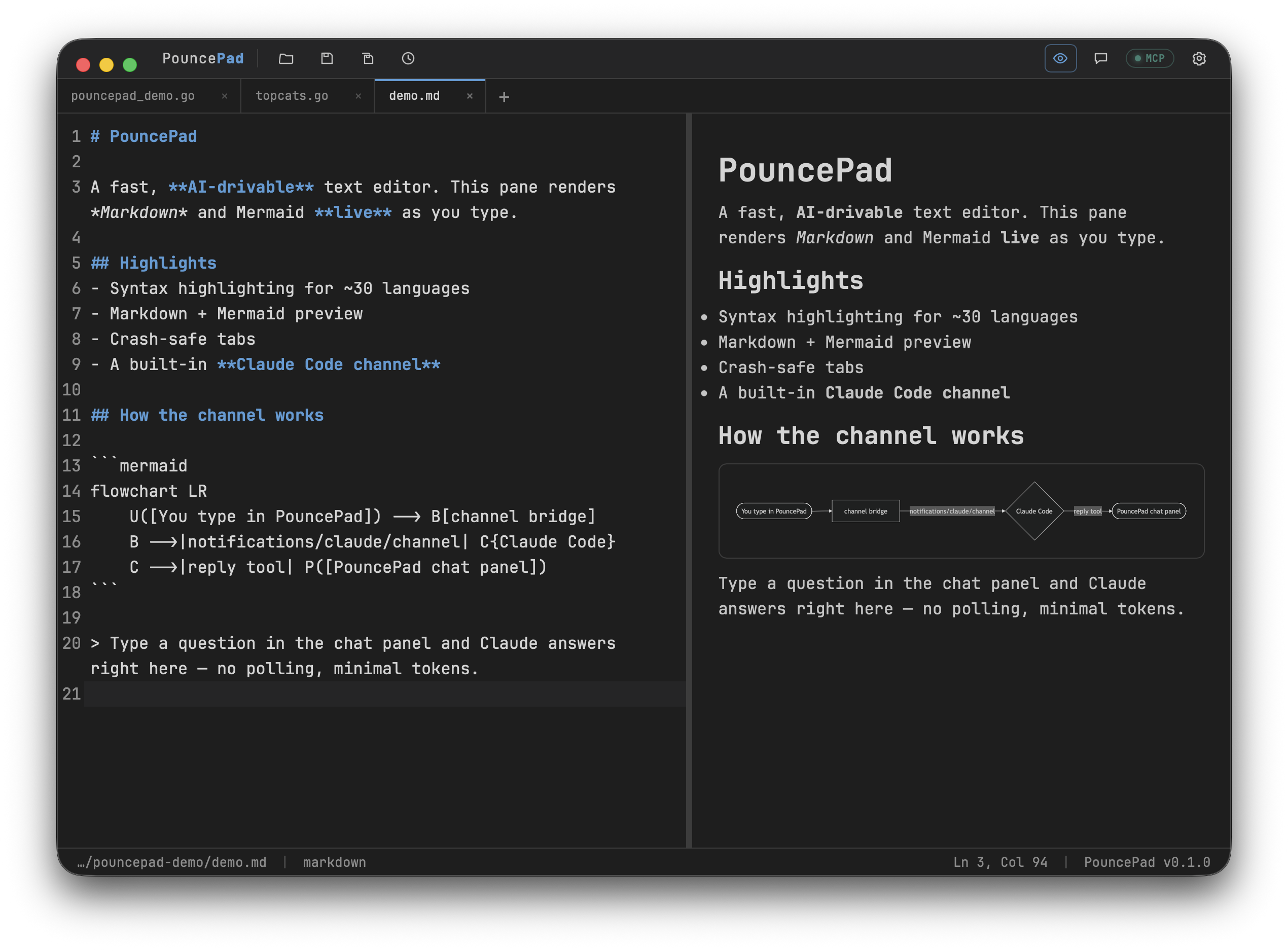
PouncePad markdown and mermaid preview

Why PounceApps

Native, private, and genuinely AI-first.

Native & fast

Real Mac apps (Go + Wails), not Electron. Small binaries, instant launch, notarized.

MCP built in

Every feature is a tool. Claude Code can drive the whole app over an embedded MCP server.

Private by default

Your data stays local. AI & MCP are read-only unless you explicitly enable writes.

Retro, themeable

A dozen editor themes — Rider, Dracula, Nord, Solarized and more — across both apps.

Bring your own AI

OpenAI, Anthropic, Ollama, or your own gateway. PounceApps has no lock-in.

One-line install

Homebrew tap with notarized casks, or download the DMG directly. Updates via brew.

Install

Get the whole family in one line.

macOS 13+ (Apple Silicon). Casks are notarized; Homebrew keeps them updated.

# tap + trust once (Homebrew 6.0+ trusts third-party taps), then install any (or all)
brew tap pounceapps/tap
brew trust pounceapps/tap
brew install --cask pouncesql
brew install --cask pouncepad
brew install --cask pounceterm
brew install --cask retrocode
brew install --cask morselhub

Prefer a direct download? Grab a notarized .dmg from pounceapps/downloads.

More from the studio

Also from the same shop.

Built by Steven S. Sparks — the same native, AI-first approach, aimed at different corners.